
Digital ordering for real restaurants
The whole order, table to kitchen, in one system.
Guests scan, browse, and pay from their phone. Your team runs the floor, the kitchen, and the menu from one dashboard.
Early access is invite-only, a few restaurants at a time, and we set each one up ourselves.
Which one are you? Table-service restaurant Food truck or counter
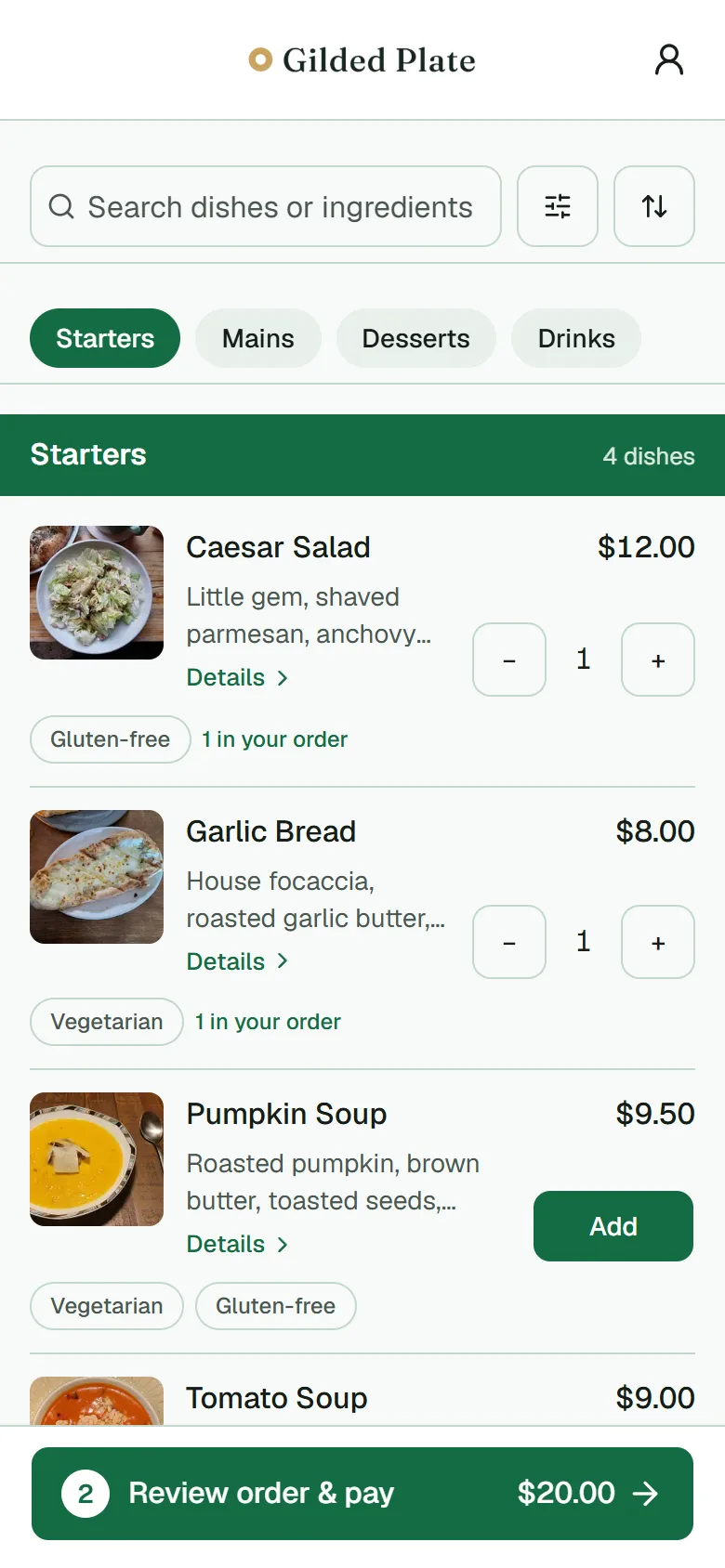
What your guests see
Scan, browse, customise, pay.
Four screens, on their own phone, with nothing to download. Real screenshots of the ordering flow, not a mock-up.
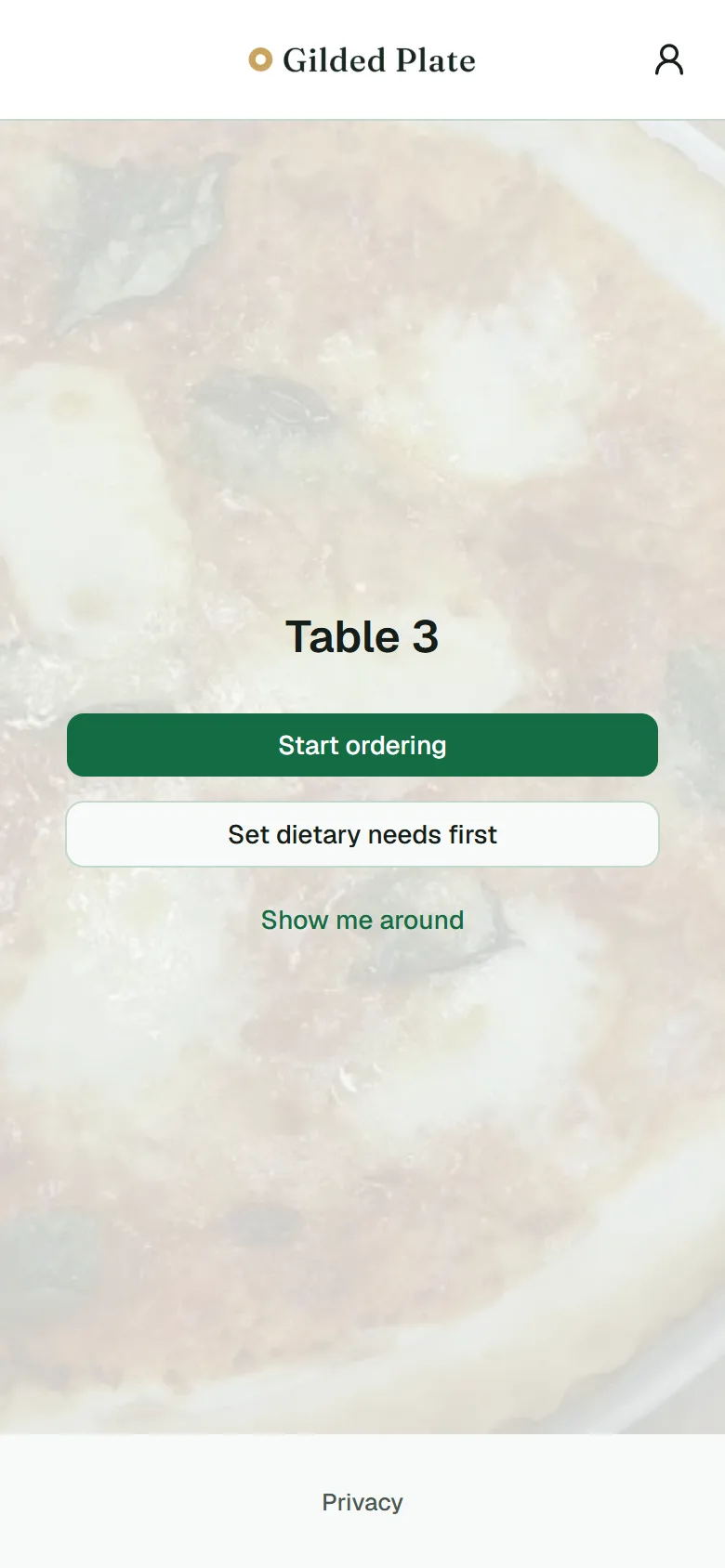 01Scan the code
- 02Browse the menu
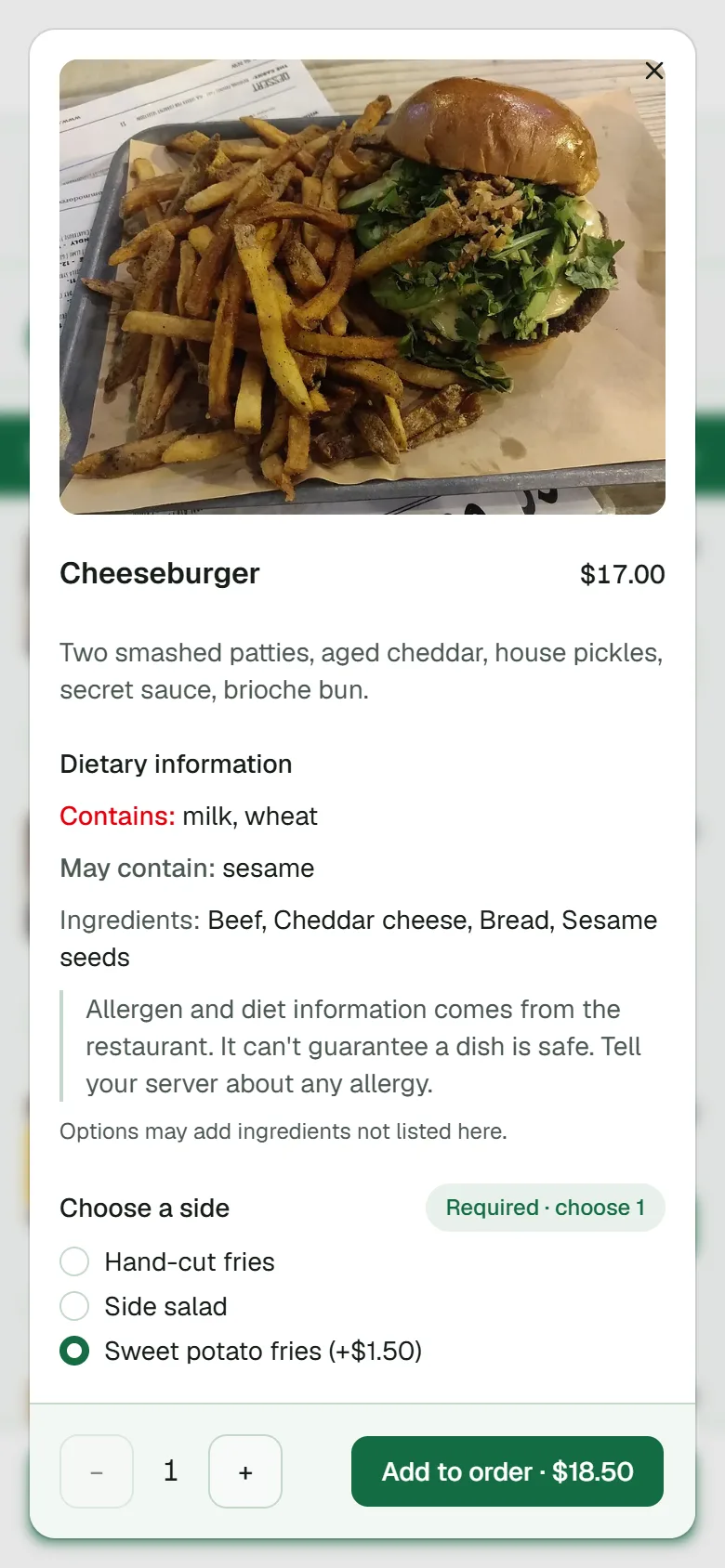 03Customise the dish
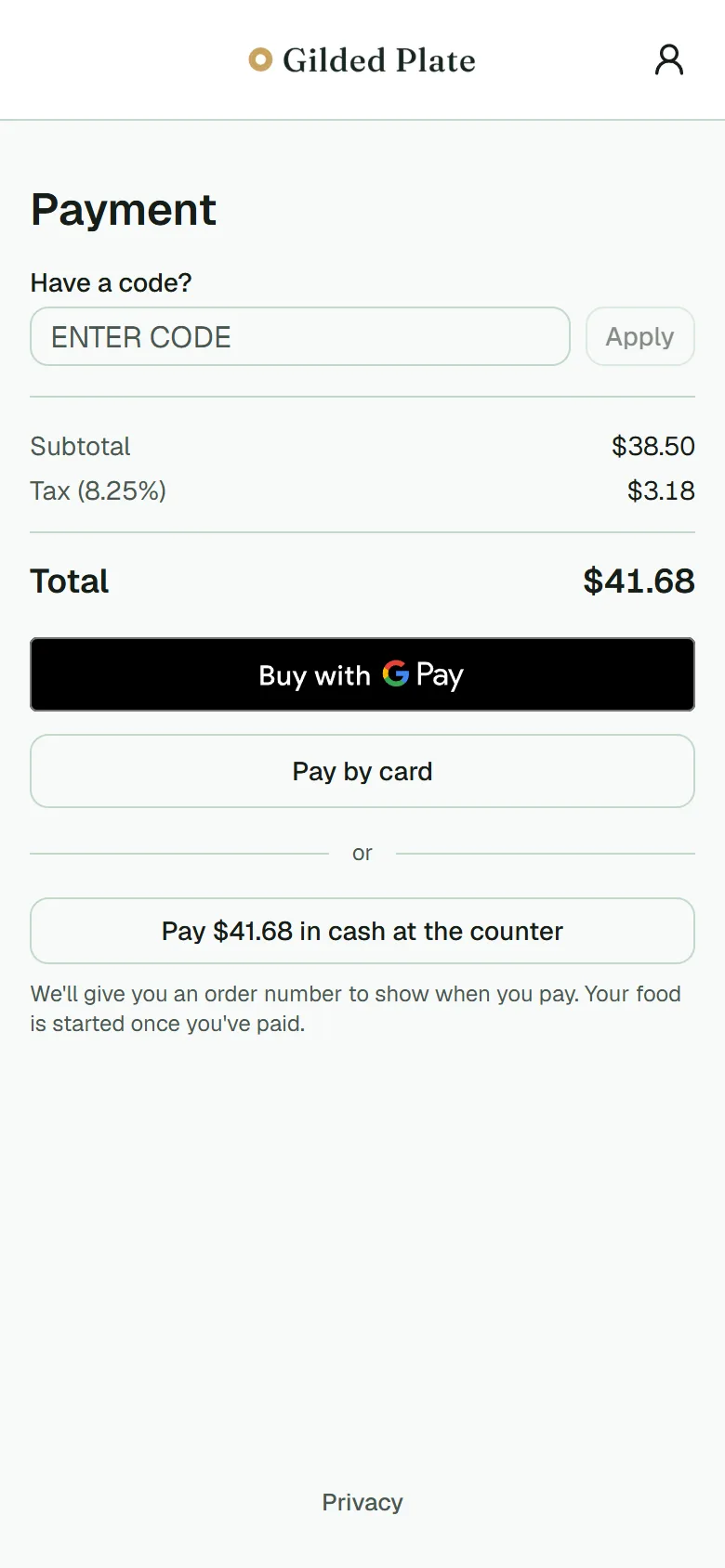 04Pay from the table
Built for everyone on the floor
One system, every station.
For the owner
Set up your menu, tables, and staff roles once. Watch orders and sales without living in a spreadsheet.
Read more →For your guests
Scan a code, order and pay from their own phone. No app, no account, no waiting to catch someone's eye.
Read more →For the kitchen
Every ticket arrives with the table, the timing, and the special requests already sorted out.
Read more →For the floor
Take cash at the counter, confirm plates have landed, and know the moment a table needs you.
Read more →For the host stand
See which tables are turning, which are sat, and who's next, at a glance.
Read more →What your team sees
One console for the menu, the pass, and the till.
Screenshots from the console with a sample menu: the menu editor, the orders list, the fulfilment board, the take-payment queue and the QR codes.
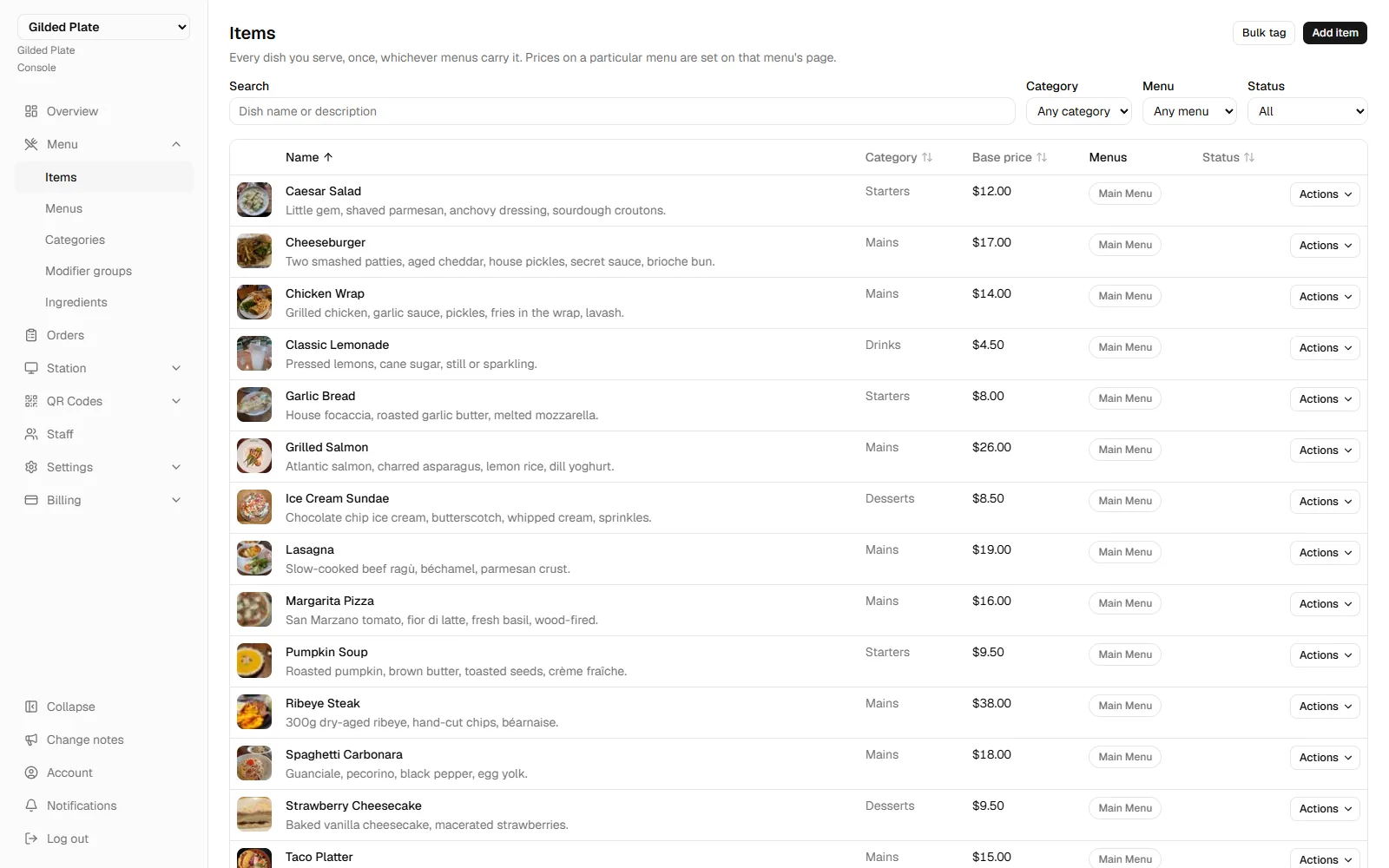
Menu editing
Items with photos, categories, prices and the customisation groups attached to them.
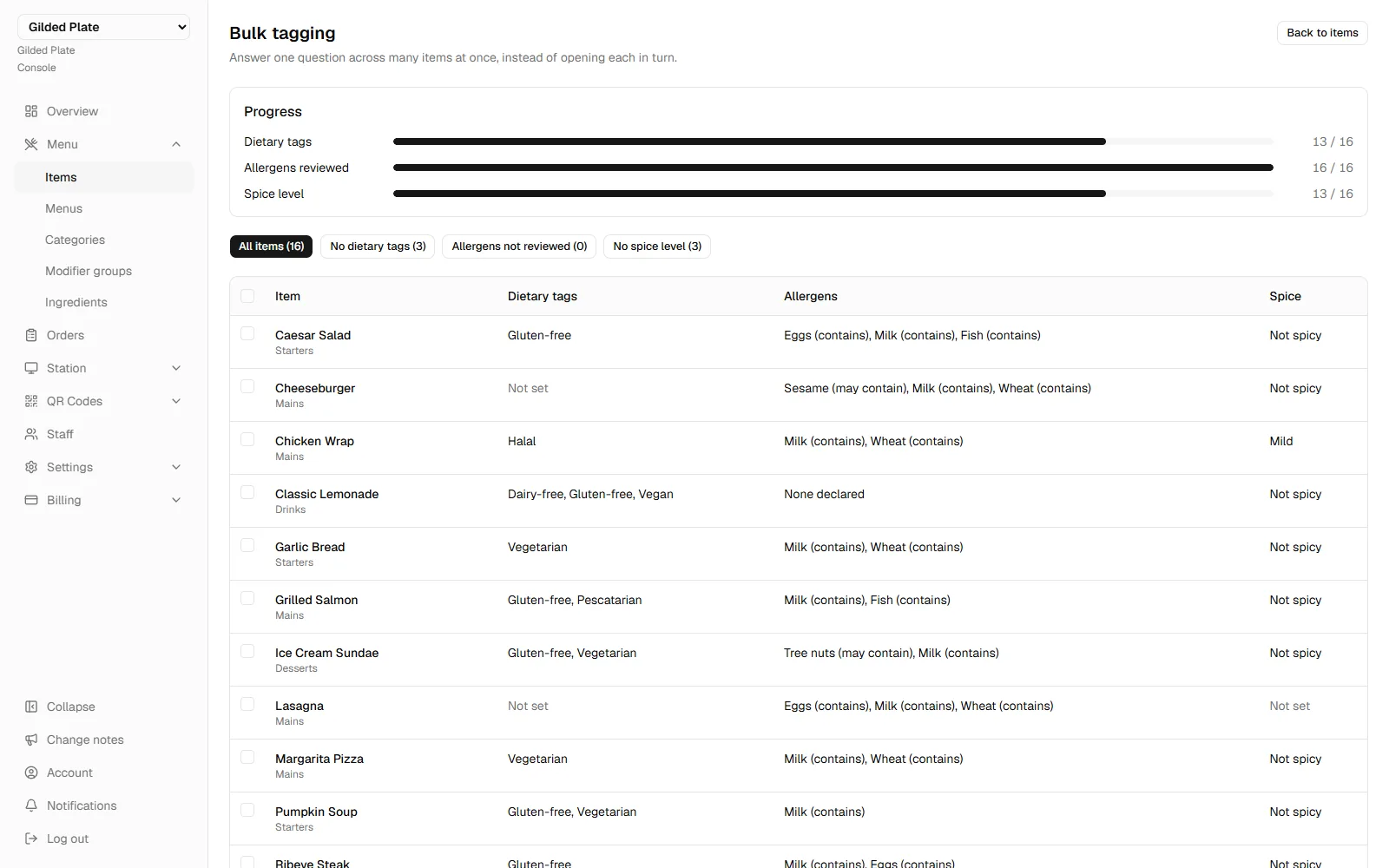
Dietary tags and allergens, in bulk
Answer one question across the whole menu — which items are vegan, what contains nuts — instead of opening every dish.
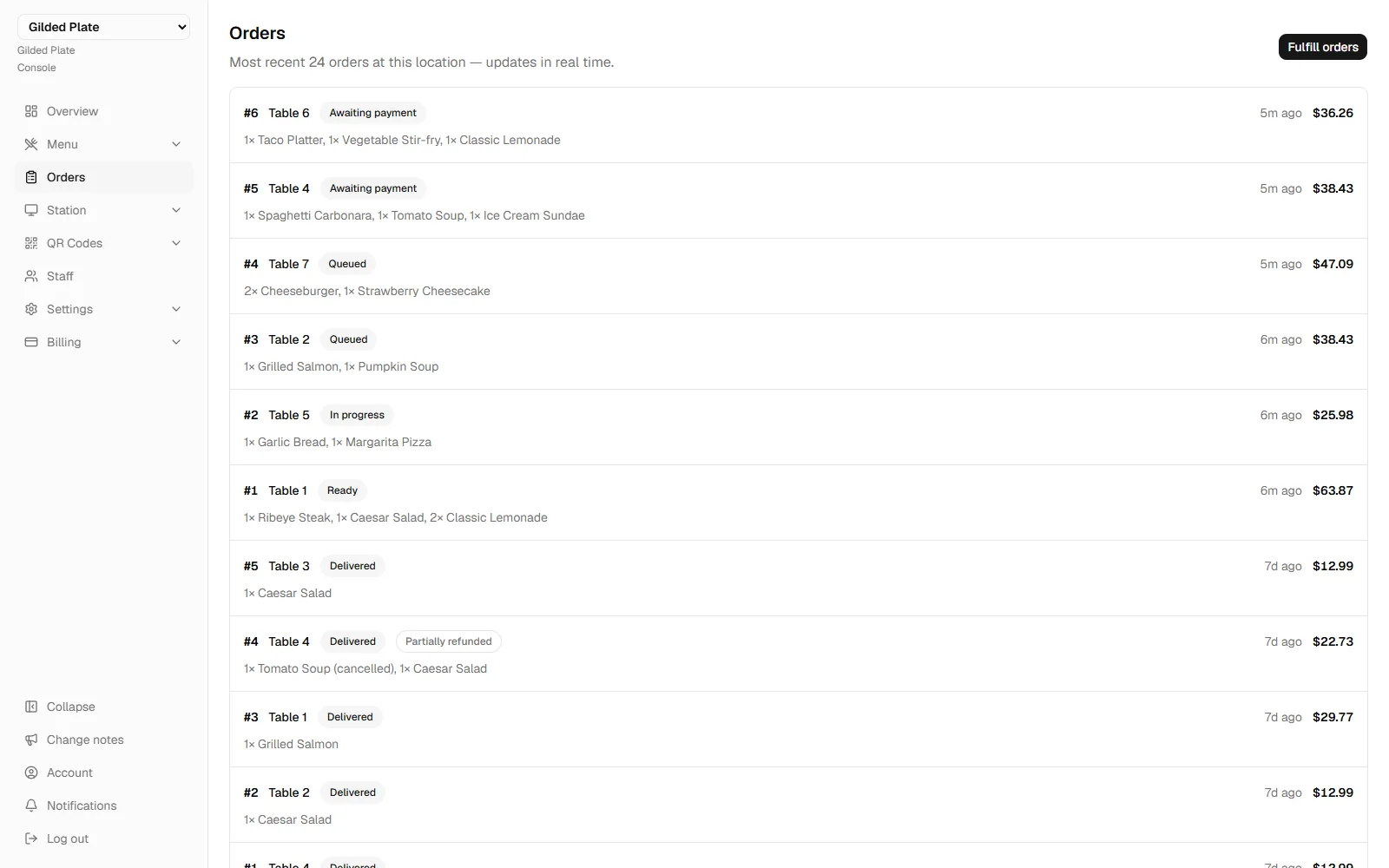
Live orders
Every order with its number, table, items and status. Updates itself when a guest orders.
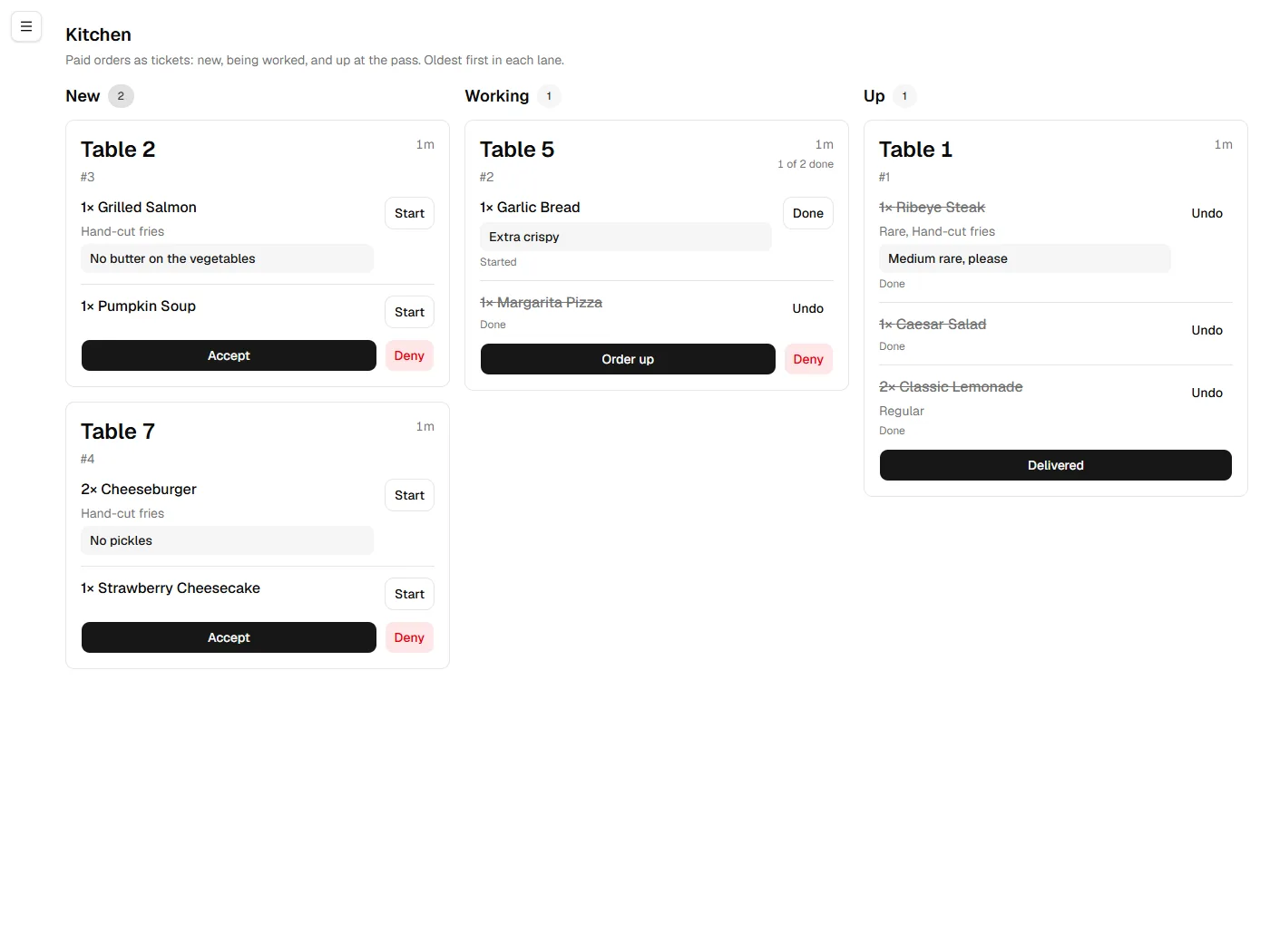
The fulfilment board
Tickets in arrival order with each item's customisations and the guest's own notes. Each one moves from New to Working to Up as the kitchen gets through it.
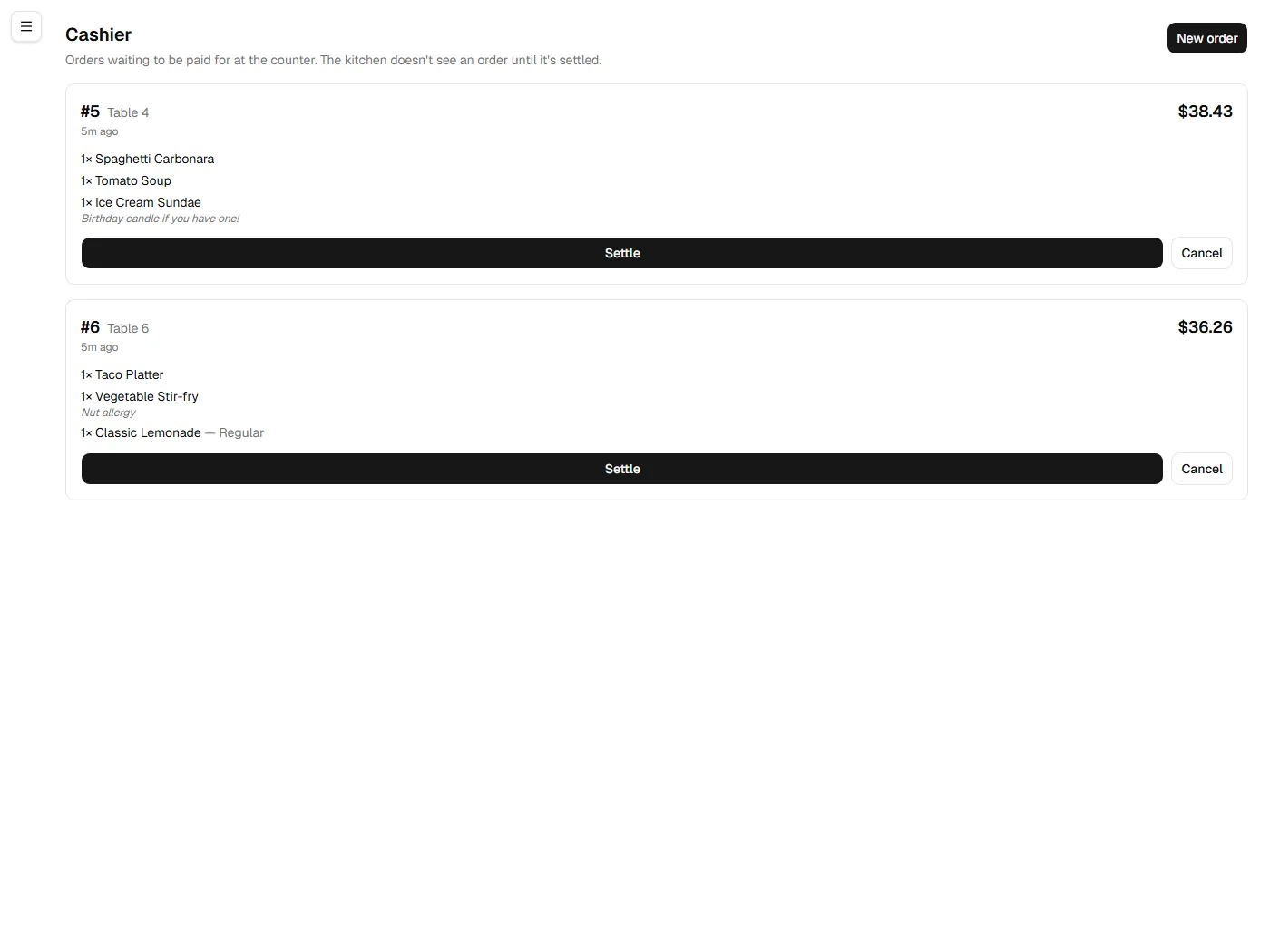
Take payment at the counter
Orders paid in cash wait here until someone takes the money. The kitchen doesn't see them until they're settled.
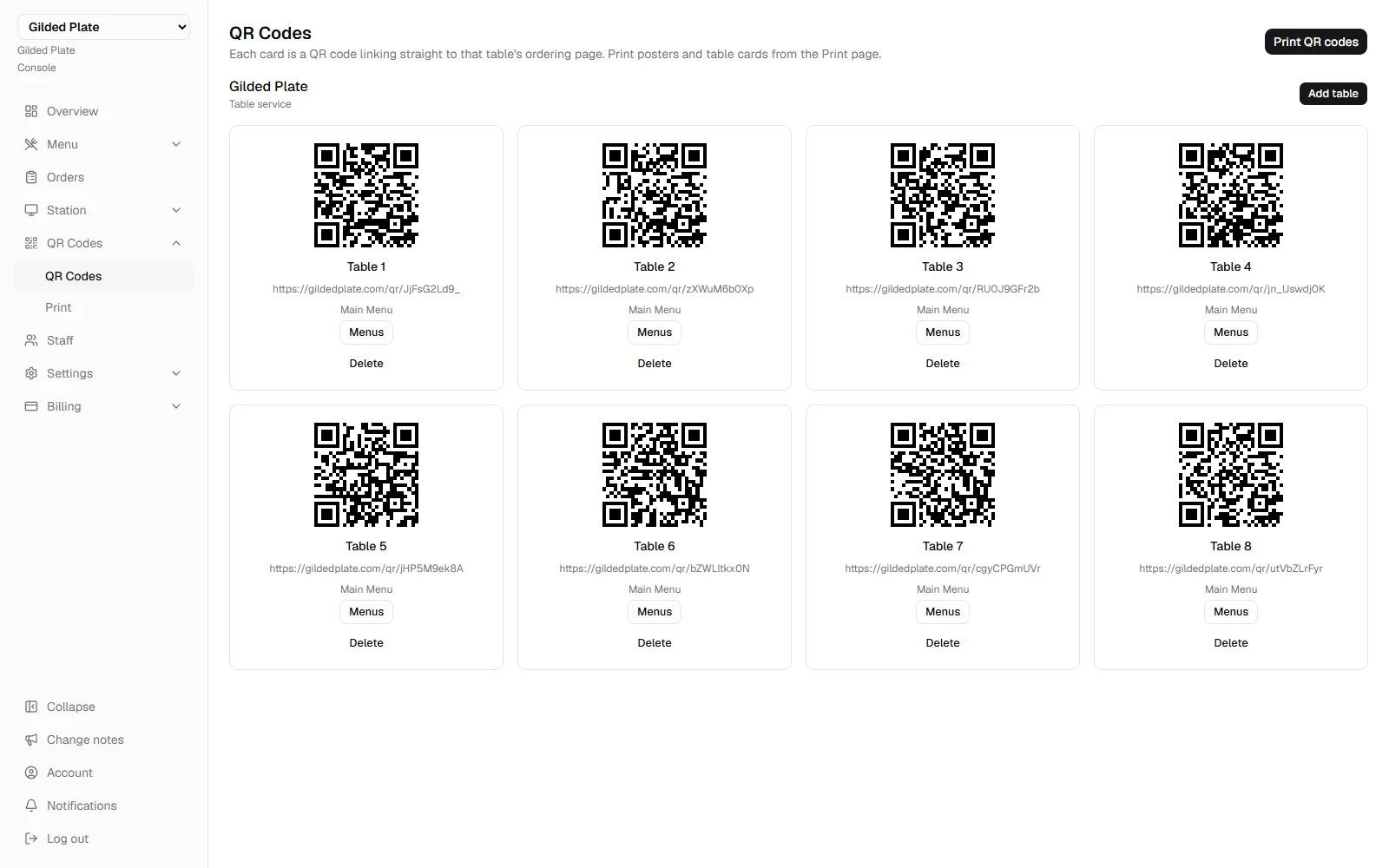
Tables and QR codes
One code per table, printed from the browser.
From signup to service
Open for business in four steps.
- 01
Request early access
Tell us about your place. We're inviting early clients in small batches.
- 02
Add your restaurant
Name it, and you're the owner — every permission, from day one.
- 03
Connect payments
Link your Square account so orders can actually get paid.
- 04
Go live
Print your table QR codes and start taking orders.
Set the table.
We're taking on early clients a few at a time, and setting them up ourselves.
Request early access