
For your guests
Nothing to download, nobody to wave at.
Your guests are who you're buying this for. Here is exactly what they go through, and straight answers to the two questions every owner asks about them.
Read the walk-through for your kind of place: Table-service restaurantsFood trucks & counters
On their phone
The whole visit, in four screens.
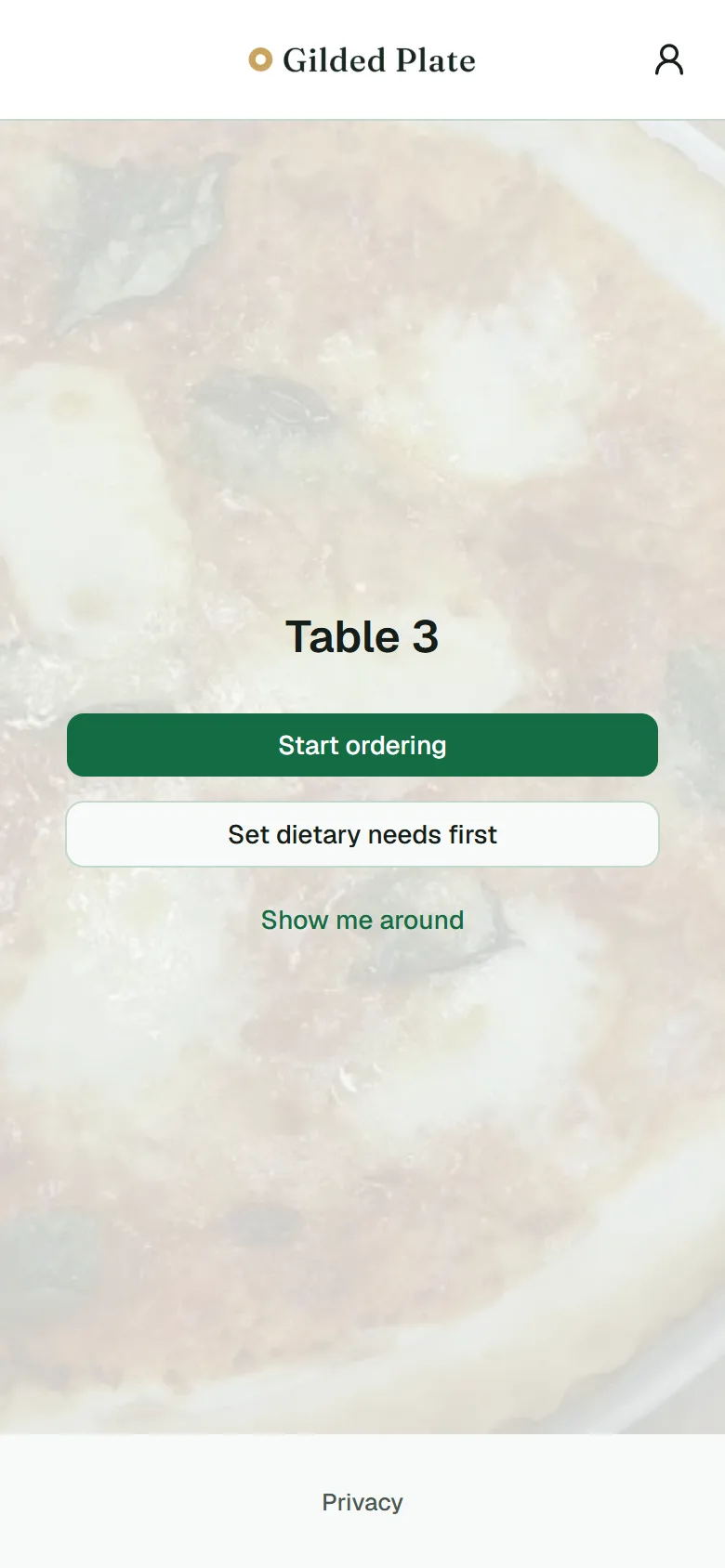 01Scan the code
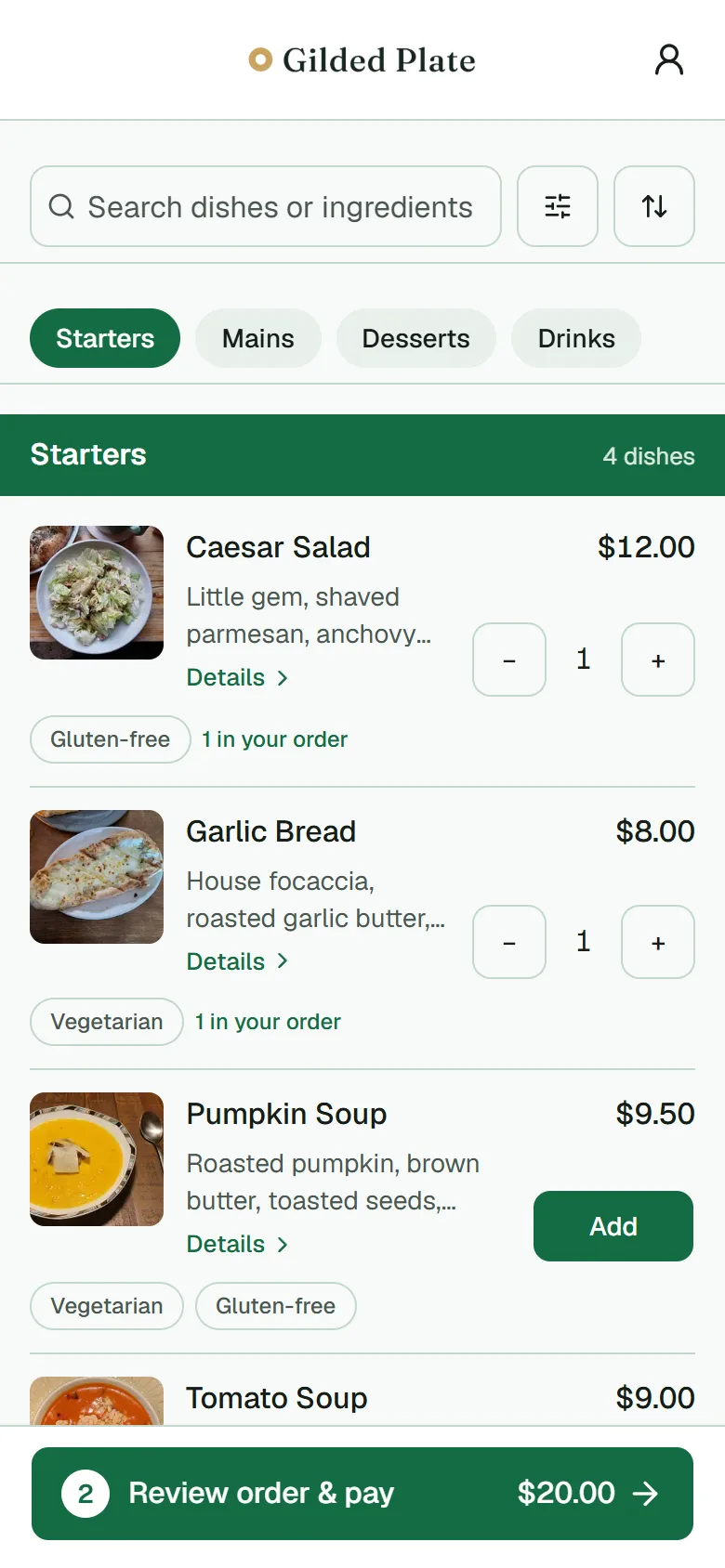 02Browse the menu
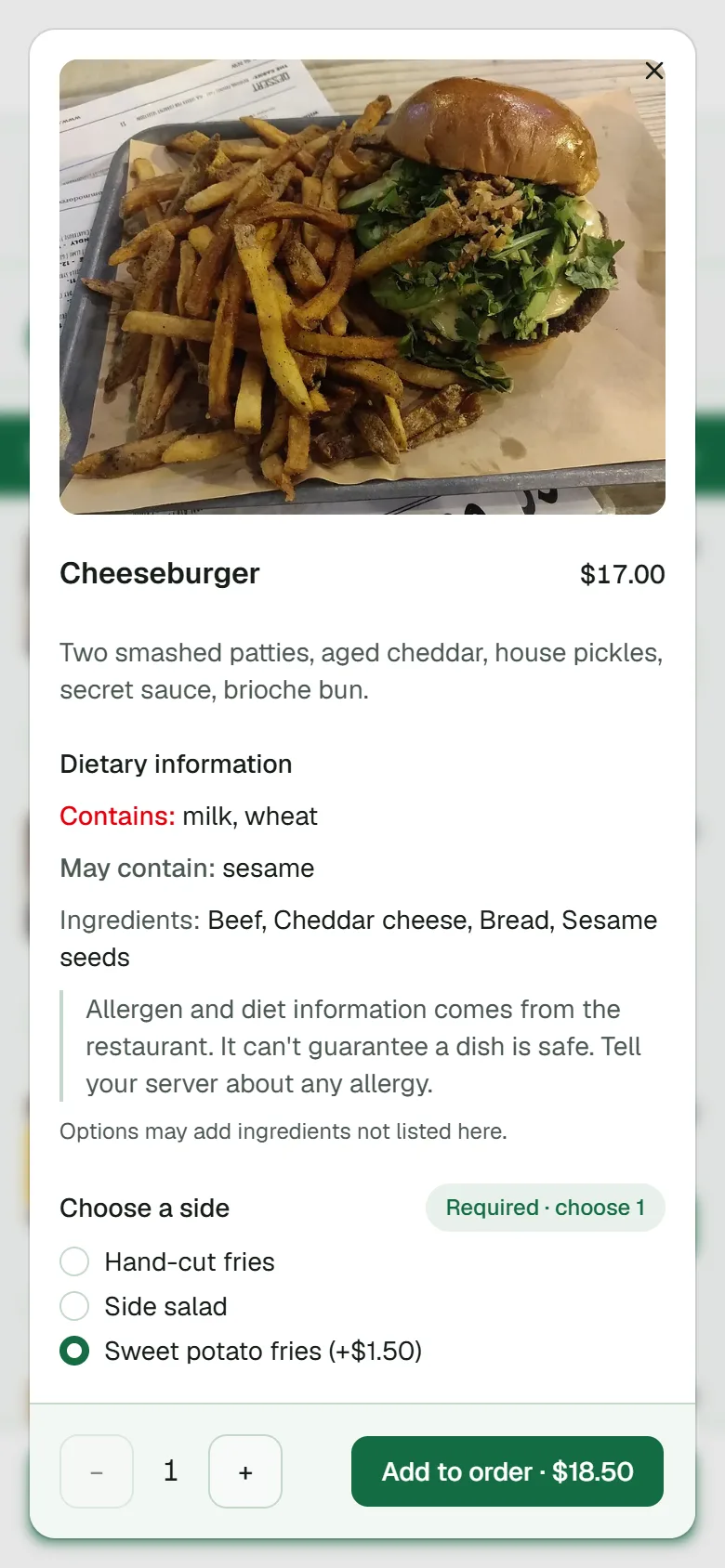 03Customise the dish
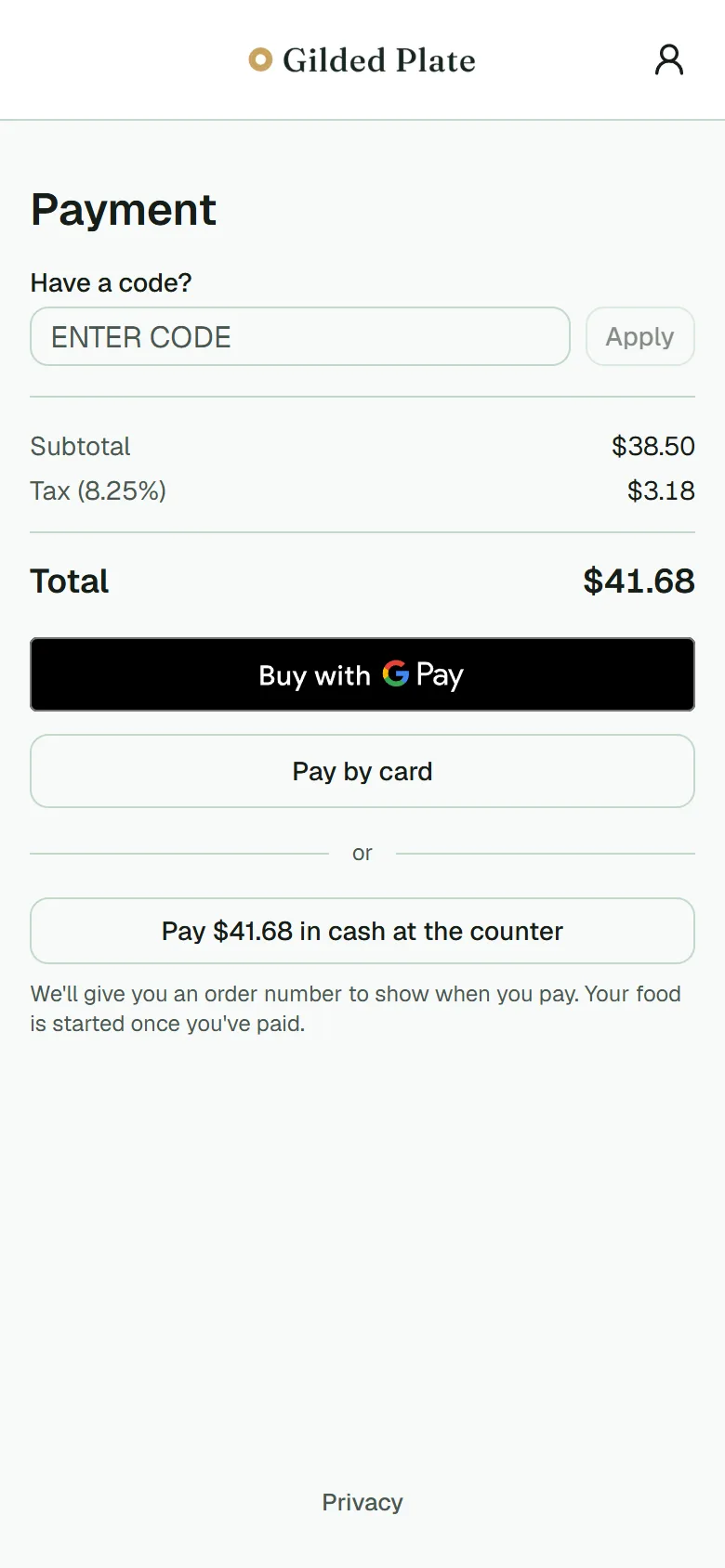 04Pay from the table
What they can do
Everything this role gets.
Scan the code on the table
The camera app opens the menu in the browser. No app to install, no account to create, no email to hand over.
Browse the menu
Every item with its description and price, laid out for a phone. The menu is whatever you have live in the console at that moment.
See photos of the dishes
The photos you add in the console, on the guest's menu, in your restaurant's colours and with your logo.
See dietary tags, allergens and spice level
Vegan, gluten-free, contains nuts, may contain shellfish, how hot — on every dish, so nobody has to ask the kitchen twice.
Customise a dish
Cook temperature, add-ons, sides — the options you've set up, with any extra cost shown before they add it. Required choices are marked so nothing reaches the kitchen half-specified.
Order from their own phone
The order goes straight to the kitchen with the table number and the guest's own notes attached — no relay, nothing transcribed.
Pay by card, wallet or cash
Card, Apple Pay or Google Pay through your own payment account, with the card details never touching our servers. Or choose cash and pay at the counter, where the order waits until someone takes the money.
Ask for a refill or a hand
A tap that reaches whoever is on the floor, instead of depending on eye contact.
The two questions every owner asks
Straight answers.
- What if a guest won't order from a phone?
- A member of staff takes the order the way they always have and enters it on the guest's behalf. It reaches the kitchen exactly like a phone order, so the kitchen can't tell the difference and the table's bill stays in one place.
- What if they don't have signal?
- The menu is a web page, so it needs data or your wifi. If the connection drops mid-order, nothing is lost: the cart lives on our servers for the whole visit and is exactly where they left it when the phone reconnects. Card payment needs a connection at the moment they tap pay; cash doesn't. Most restaurants put the wifi name on the same card as the QR code.
Try it as a guest would.
Early clients get a table QR code on day one. Scan it yourself before your guests do.
Request early access